Sight Guide > 2. Using Sight > 2.1 Configuring Sight
Contents
Sight in CollabOS
Please ensure your Rally Bar or Rally Bar Mini is updated to the latest version of CollabOS. This will also update Sight to the latest version when Sight is connected to Rally Bar or Rally Bar Mini.
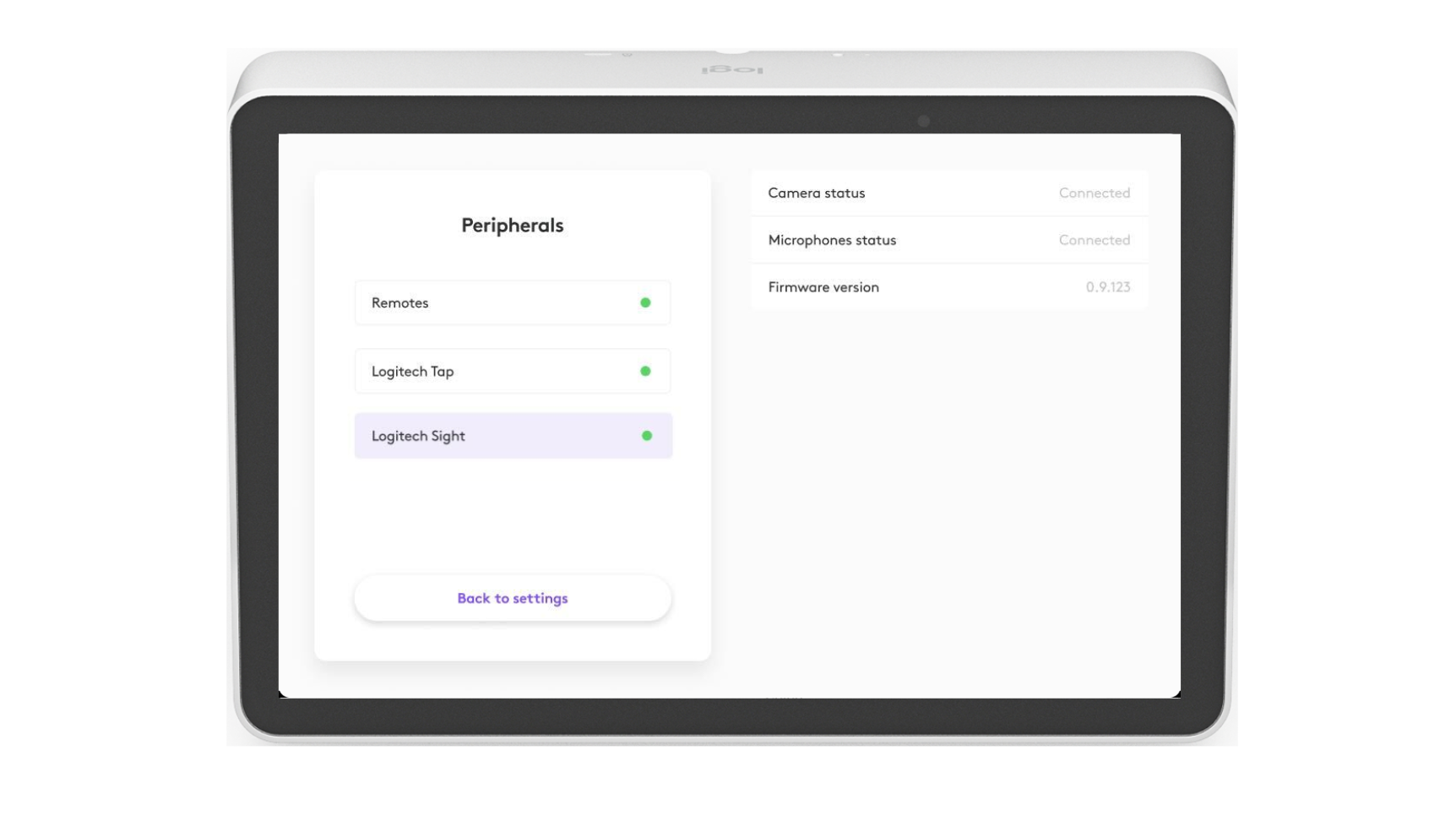
When the camera detects Logitech Sight, it will be listed under Settings > Peripherals.
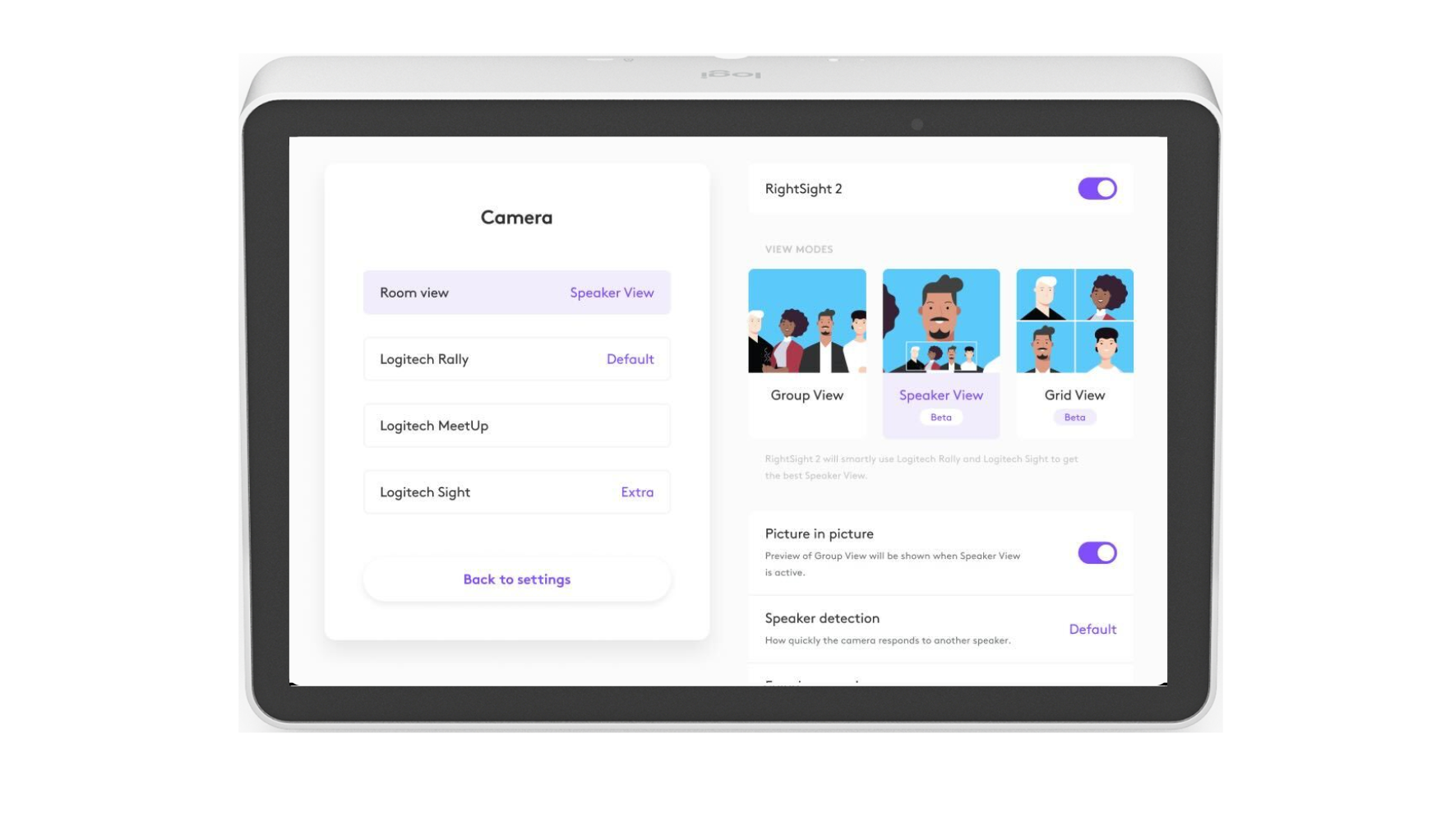
Logitech Sight extends the RightSight framing technology of the Rally Bar and Rally Bar mini. When connected, the RightSight settings are applied to Logitech Sight. Learn more about RightSight 2 here.
Support by video conferencing application
What meeting participants on the far end will see varies depending on which video conferencing application is being used, which options have been selected in the application, and which Logitech front-of-room camera is being used. The following section provides a general, but not exhaustive, overview of the views presented to the far end participants. These will change based on new features both in the video conferencing application and Sight. It is recommended that you check for updates regularly at Logitech Sight Compatibility Information.
Zoom
Note: These instructions apply whether running Zoom in Appliance mode or USB mode.
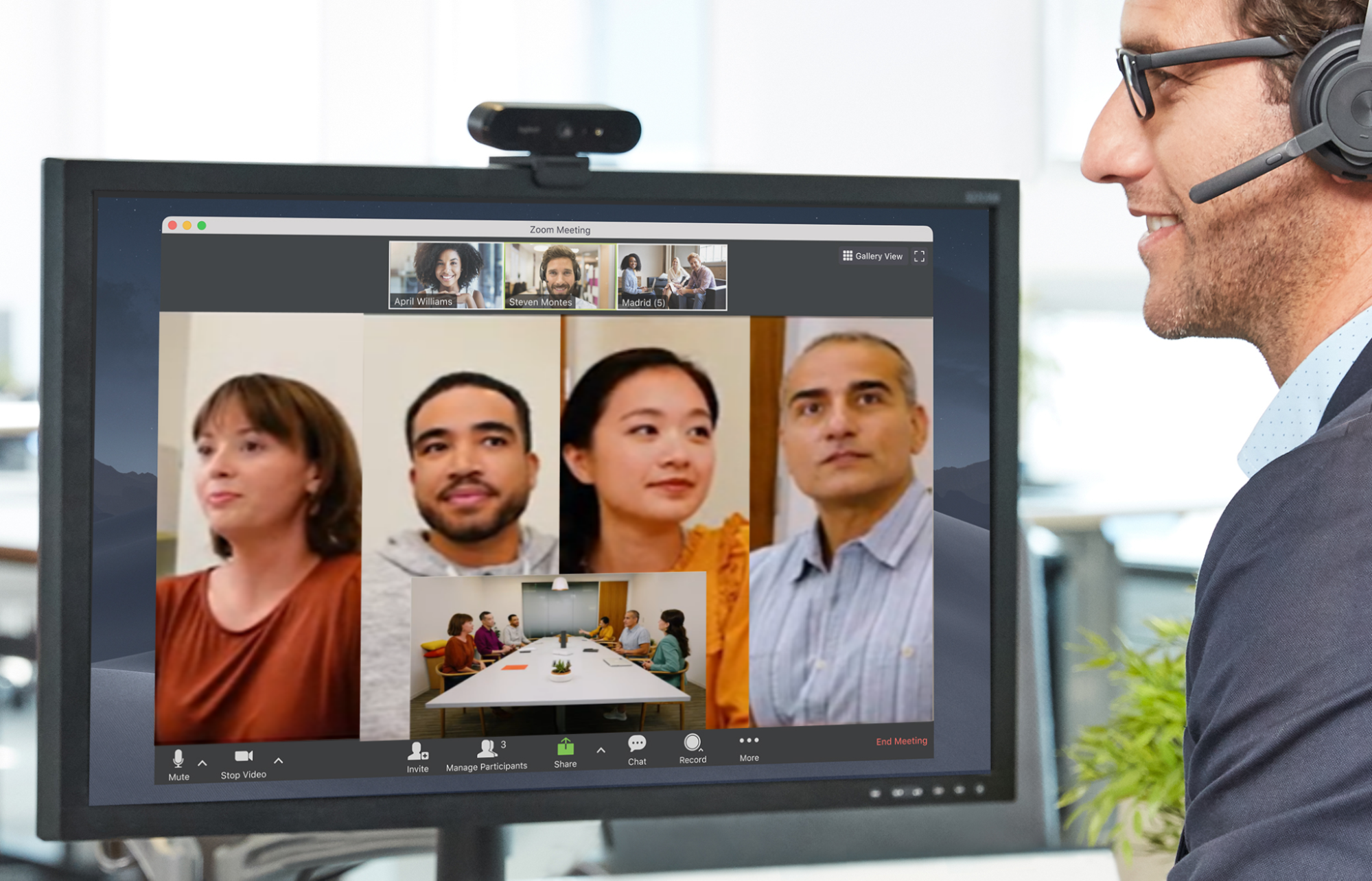
From the in-room controller (ie Logitech Tap) or ZDM select Speaker Focus in the Camera Control page. Now, the front-of-room camera will frame all the meeting participants in Picture-in-Picture view and Sight will frame 1, 2, 3 or 4 active talkers.
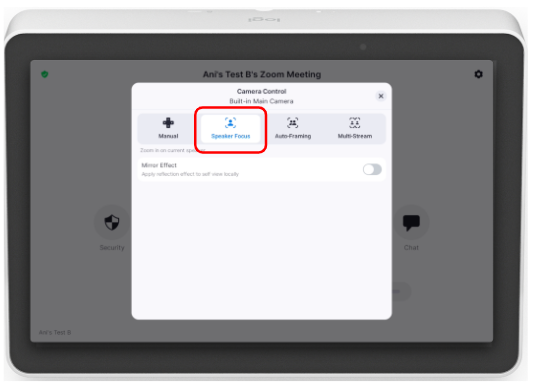
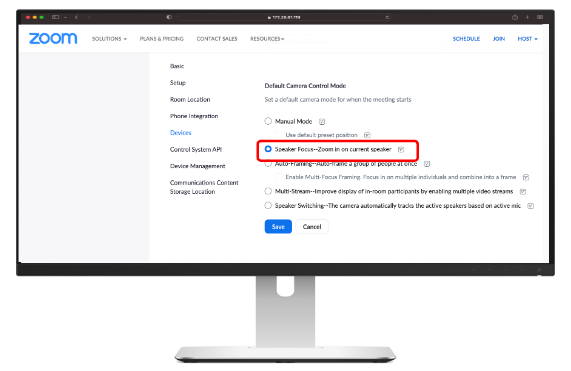
- What will be seen on the far end:
- A single stream in speaker focus mode will show the view from Sight, with Sight framing the active speakers (up to 4 frames) and the room view from the front-of-room camera such as Rally Bar or Rally Bar Mini.
Teams
Microsoft Teams Rooms on Android
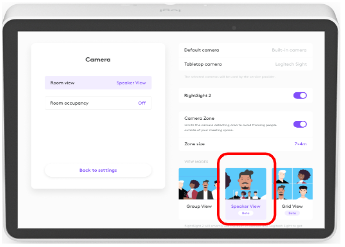
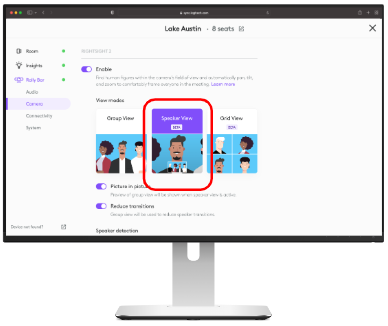
Select Speaker View in CollabOS using the room controller (such as Tap), Sync Portal or Local Network Access.
Room Controller
Sync Portal
Local Network Access
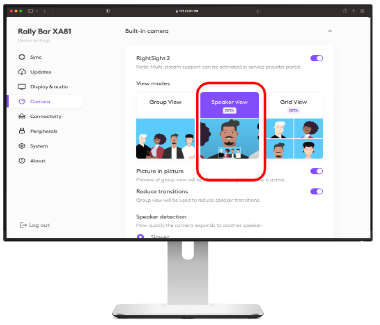
- What will be seen on the far end:
- A single stream in speaker focus mode will show the view from Sight, with Sight framing the active speakers (up to 4 frames) and the room view from Rally Bar or Rally Bar Mini.
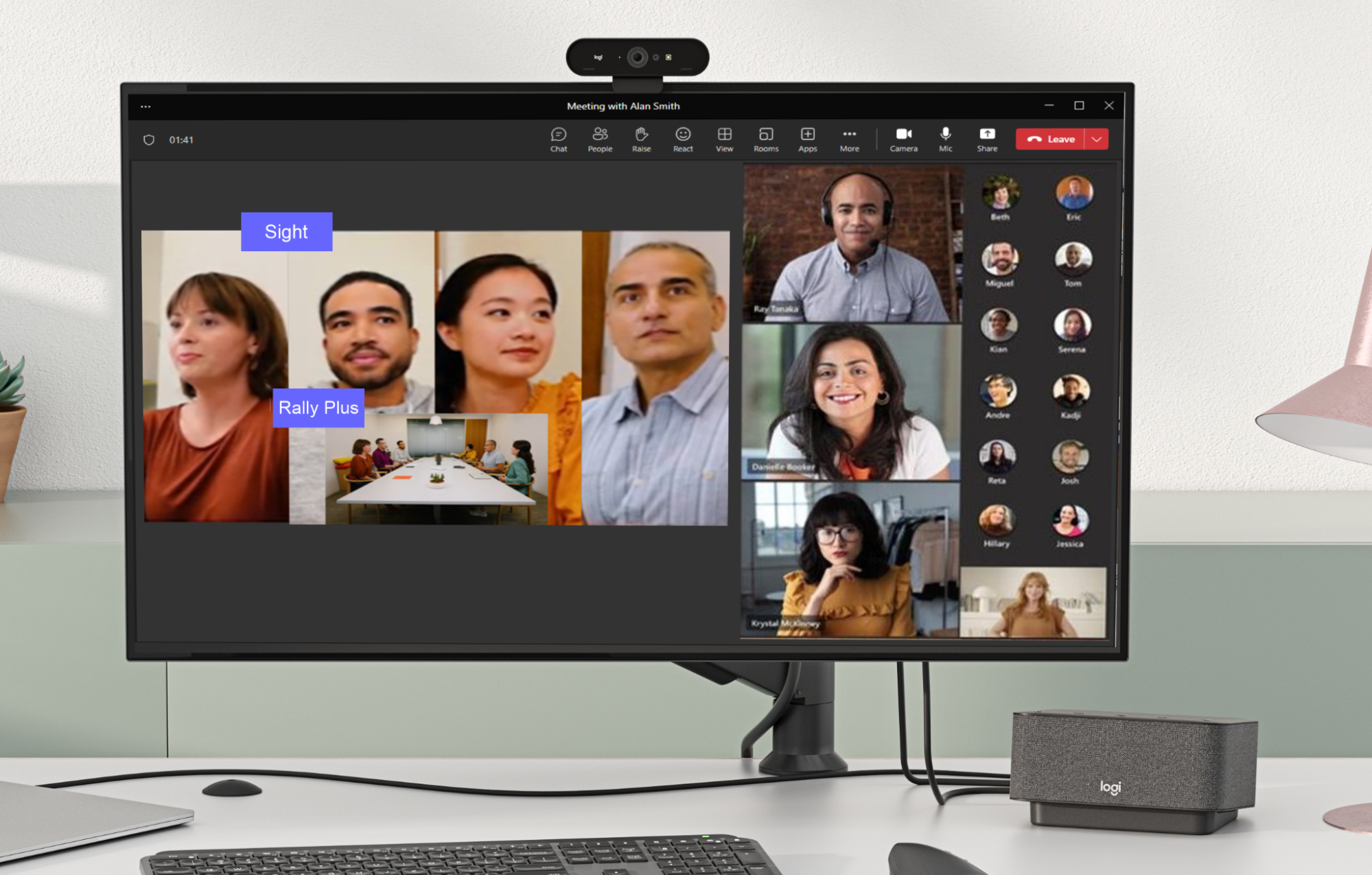
Microsoft Teams Rooms on Windows
Sight is supported with Rally Bar or Rally Bar Mini. Support for Rally Plus is expected later in 2023.
Google Meet
Support for Sight with Google Meet is coming soon.
Back to Top | Next Article: 2.2 Managing & Updating
Häufig gestellte Fragen – FAQs
Für dieses Produkt sind keine Download
There are no Downloads for this Version.
Compatible Product
